Technology 10 min read
API-First and Open Architecture for Your Business App
API-first explained, concrete benefits, use cases, and REST/GraphQL standards for SMEs.
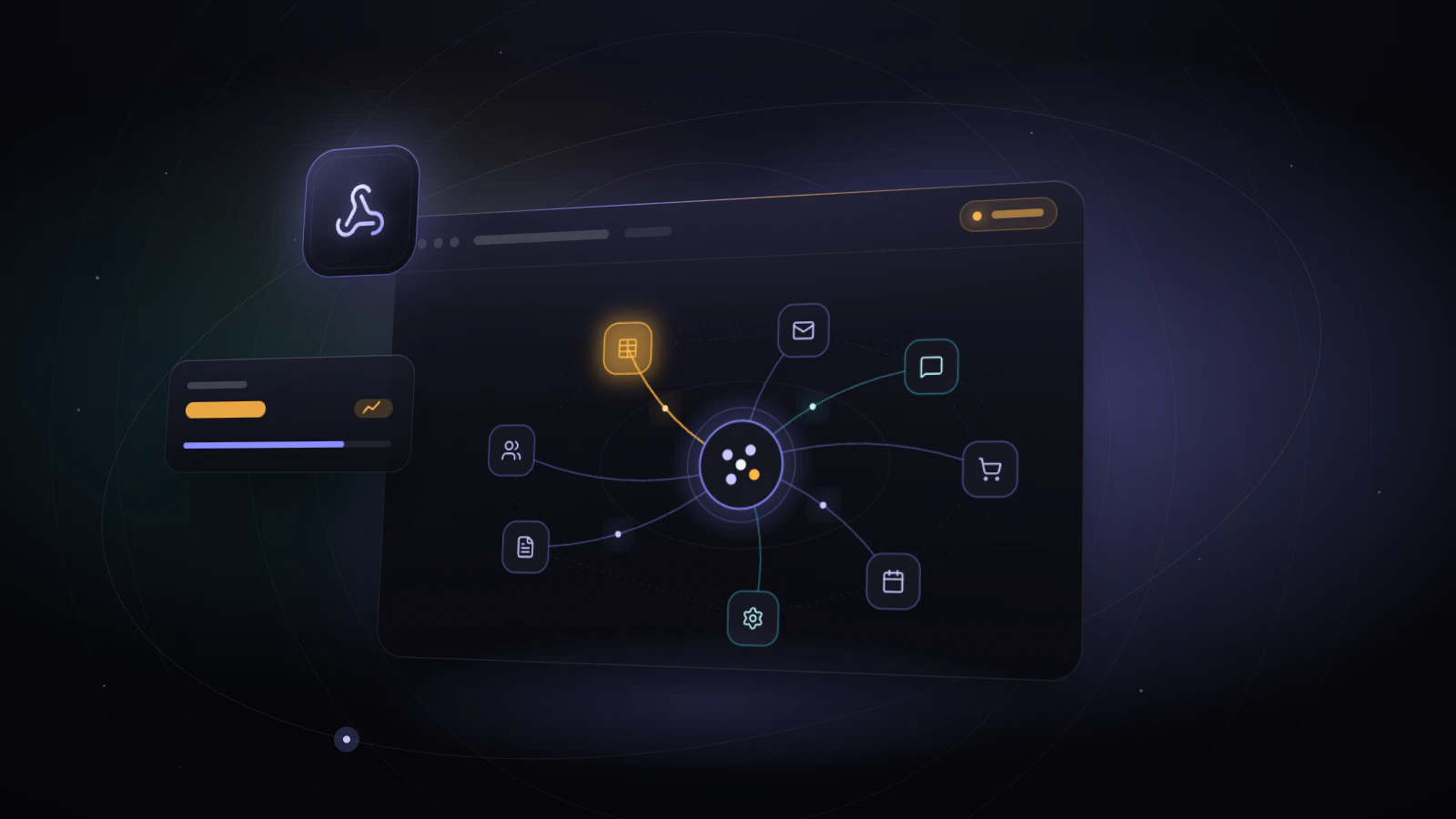
Table of contents13
Is your business app an island? If it doesn't talk to your accounting software, your CRM or your website, every data transfer means a CSV export, a copy-paste or manual re-entry. Those few minutes, repeated several times a day, add up to hours every week, not counting the errors.
The answer is an open, API-first architecture. Instead of a closed system, your application becomes a central hub that exchanges data automatically with your other tools. It can then take on new uses (mobile app, customer portal, automations) without a rebuild.
This guide explains APIs in plain language, sets out the concrete benefits for an SME, and gives you the criteria for choosing the right architecture.
Key takeaways
- An API is a "communication contract" that lets two pieces of software exchange data with no human in the middle.
- Designing your app API-first costs a little more up front but makes every future connection simpler and cheaper.
- REST suits the vast majority of SME projects; GraphQL is worth it for dashboards or mobile apps with complex data needs.
- An open application makes regulatory changes easier, such as mandatory e-invoicing, now rolling out across the EU.
- The gain is measured in hours of re-entry eliminated: calculate it with your own volumes before investing.
APIs explained simply
What is an API?
An API (Application Programming Interface) is a communication contract between two pieces of software. Think of it as a standard power socket: any compatible device can plug into it.
In practice: when your business app creates an invoice, the API sends it to your accounting software. When a customer orders on your website, the API creates the order in your app. No re-entry, no delay, and far fewer copy errors.
API-first: designing for openness from the start
API-first means designing the API before the user interface. The application sits on an open data foundation that any authorized system can access.
Key advantage: your app can be used through a web interface, a mobile app, an executive dashboard or an external partner. Everything goes through the same API: one system, many uses.
5 concrete benefits for your SME
1. No more data re-entry
Re-keying data between systems is one of the most repetitive tasks in any SME. APIs eliminate it by syncing data between your tools.
How to estimate the gain: multiply the number of entries involved by the time each one takes, then by the number of people. A 2-minute re-entry done 30 times a day is already an hour a day for a single person.
2. A connected ecosystem
Your business app doesn't replace all your tools: it orchestrates them. Through APIs it connects to your accounting (Xero, QuickBooks, Sage), your CRM (HubSpot, Pipedrive), your website, your online store and more. Information entered once flows everywhere.
See our integration guide for details.
3. Room to grow
With an API, you add new tools without touching the core of your application. A new invoicing system? It plugs into the API. A partner needs your product data? The API gives them controlled access. That's the foundation of growth without a rebuild.
4. End-to-end automation
APIs make automations possible that isolated tools can't support. Example: a customer orders → the invoice is generated → stock is updated → the confirmation email goes out → a delivery task is created. All without manual work, with a human check wherever it's useful.
5. Technology independence
With a documented API, you aren't locked into a vendor. You can switch invoicing software, CRM or hosting without touching your app's core. It's the best protection against vendor lock-in.
REST vs. GraphQL: which standard?
| Criteria | REST | GraphQL |
|---|---|---|
| Simplicity | Very simple | More demanding |
| Flexibility | Good | Very high |
| Performance | Good (may return extra data) | Optimal (only the data requested) |
| Ideal use case | Standard read/write, simple integrations | Complex dashboards, mobile apps |
| Maturity | 25+ years, universal | 10+ years, widely adopted |
| Documentation | OpenAPI (Swagger) standard | Built-in introspection |
| For an SME | The default choice | If you have complex dashboards |
Our recommendation: REST for most SME projects. GraphQL when the app has complex data needs. The two can coexist.
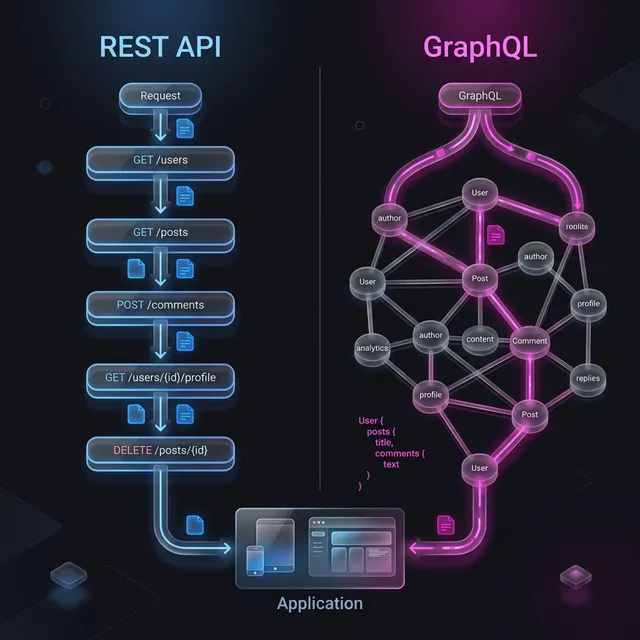
Comparison: with and without an API
| Criteria | Without API (closed) | With API (open architecture) |
|---|---|---|
| Data exchange | CSV export/import, copy-paste | Automatic sync |
| Re-entry | Daily, grows with volume | Eliminated on connected flows |
| Entry errors | Inevitable (typos, omissions) | Limited to data entered at source |
| Adding a new tool | Custom development (weeks) | Connect to the existing API (often days) |
| Mobile app | Full new build | Same API, new interface |
| External partners | Email or file exchanges | Secure, logged access |
| Total cost | High over time | Under control |
E-invoicing: openness becomes a requirement
Mandatory e-invoicing shows why an open application matters. Under the EU's "VAT in the Digital Age" (ViDA) package adopted in 2025, structured e-invoicing becomes the norm for cross-border B2B transactions by 2030, and several countries are moving faster. In France, for example, every VAT-registered business must be able to receive e-invoices through an approved platform since 1 September 2026, and small and mid-sized businesses must issue them from 1 September 2027.
If your business app produces quotes, progress invoices or invoices, it will have to exchange data with an e-invoicing platform or your accounting software. An app with a documented API connects easily; a closed system means manual exports or a rushed development.
Illustrative scenario: an API in action
Illustrative scenario built on assumptions: not an actual client, and the figures are examples.
Profile: construction services company, 35 people, site management application.
Before: site data (hours, materials, photos) is noted on paper, entered into the app, then re-typed into accounting. Three entries for the same information.
Integrations put in place:
- Accounting: invoices and progress billing synced automatically
- Scheduling (Google Calendar): jobs visible in technicians' calendars
- Banking: automated payment reconciliation
- Suppliers: material orders sent straight from the app
Expected effects in this example: one entry instead of three, invoices issued the day after the job instead of weeks later, and no more discrepancies between the app and the books. Measure the hours saved before and after with the method in our ROI guide.
Webhooks: APIs that push data to you
Traditional APIs require you to ask for data (pull). Webhooks push data automatically when an event happens:
- A customer places an order → a webhook notifies your billing system instantly
- An invoice is marked "paid" → a webhook updates your CRM
- A support ticket is closed → a webhook triggers a satisfaction survey
Webhooks are essential for real-time workflows. Without them, you'd have to poll APIs constantly for changes, which is wasteful and slow.
Implementation tip: always include a retry mechanism. Webhooks can fail silently if the receiving server is briefly down, so the sender should retry several times with increasing delays. Most modern frameworks handle this out of the box.
API security
An open API isn't an unprotected one. Security best practices:
- Authentication: every access requires a token (OAuth 2.0)
- Authorization: roles and permissions apply to API access too
- Encryption: all traffic over HTTPS
- Rate limiting: caps on requests to prevent abuse
- Logging: every call is traced and auditable
Connecting your tools means getting hours back
Behind every API, a repetitive task disappears: the invoice nobody re-types, the schedule that updates itself, the reminder that goes out on its own. That's exactly what we measure at Iselia Projects before building anything: where your team re-enters data, how often, and how many hours it adds up to.
- To estimate your recoverable hours, use the time savings calculator (visible assumptions, indicative result).
- For invoices, quotes and supporting documents, see our documents & admin automation page.
- For an industry example, our construction trades page lists the tasks a contractor can automate.
Our approach at Iselia Projects
At Iselia Projects, API-first architecture is our standard:
- API designed first: before the interface, we define the data and the exchanges
- Automatic documentation: OpenAPI so any system can integrate
- Security built in: authentication, authorization and encryption
- Integration tests: every connection is tested automatically
- Connecting your tools: we hook up your existing software
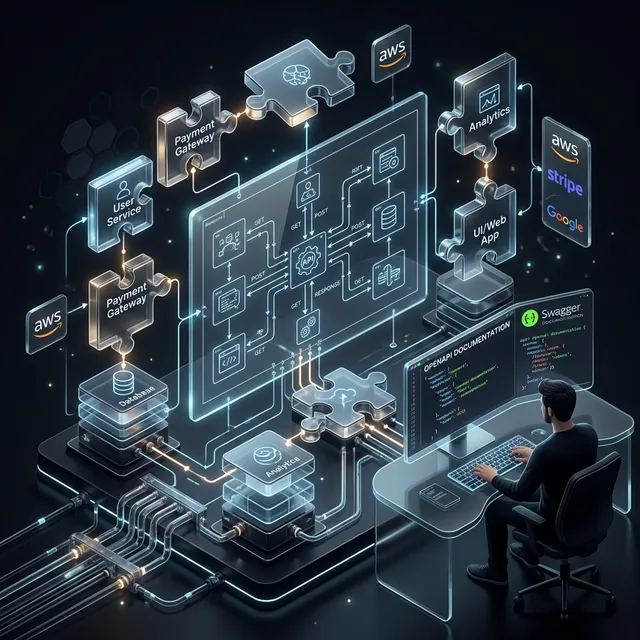
API documentation: a strategic asset
An undocumented API loses most of its value. Your documentation should include:
- Endpoint reference: every URL, method (GET/POST/PUT/DELETE), parameter and response format
- Authentication guide: how to obtain and refresh tokens
- Code examples: ready-to-use examples in at least two languages
- Error handling: what each error code means and how to fix it
- Rate limits: how many requests are allowed and what happens beyond that
- Changelog: version history so integrators know what changed and when
Tools like Swagger/OpenAPI generate interactive documentation from your code. Your integrators, and your future team, will thank you.
Frequently Asked Questions
Does an API cost more to develop?
A little more up front, because the data model and exchanges need careful design. In return, every future integration is faster and cheaper. Over a 5-year total cost of ownership, it usually pays off as soon as the app needs to connect to several tools.
Can I add an API to an existing application?
Yes, but it's more complex than planning it from the start: the database and code sometimes need reorganizing. A technical audit lets you estimate the effort before committing.
Should my vendor provide API documentation?
Yes. An API without documentation is close to unusable. Require up-to-date OpenAPI documentation: it's a criterion for choosing a good vendor.
Is an API necessary for a small application?
Even for a small app, a minimal foundation (structured data export, webhooks for notifications) is recommended. It prepares for the future, including e-invoicing, without significant extra cost.
Is GraphQL better than REST?
Not better: different. GraphQL excels for complex interfaces (dashboards, mobile apps), REST for simple integrations and system-to-system communication. Both can coexist.
How do I test whether the API works correctly?
Tools like Postman let you test each endpoint individually. For automated testing, integration tests check that data flows correctly between all connected systems on every update.
Conclusion: the API is your app's nervous system
A business app without an API stays an island. With an API, it becomes the hub that connects your tools, eliminates re-entry and adapts to future needs, regulatory ones included.
API-first architecture isn't a technical luxury: it's an investment that pays off from the first integrations, provided you start from your real tasks.
Is your app connected? At Iselia Projects, the assessment is free and with no commitment: in 30 minutes, we review your repetitive tasks and your tools, then estimate the hours you could get back. You can also book a call directly. Book your free assessment →
Go further
From this guide to your hours
- Automation Custom business tools Internal apps, client portals, dashboards and automated reports designed for your industry and connected to your data — you own the code.
- Calculator Estimate my hours back Free calculator: your tasks, your volumes, an indicative estimate of the hours saved.
- Support Support plans Monitoring, maintenance and improvements of your automations after go-live.